$25 Fix: How I Turned a Trash Server Into a Homelab
It was drizzling when I spotted the HP EliteDesk sitting on the curb. I grabbed it before it got soaked. Lucky timing.
Brought it home, plugged it in.
Nothing.
White light for a second. Then shutdown. No BIOS, no beeps, no display. Just silence.
What Was Inside
Before I get to the diagnosis, here’s what the machine had:
- Intel Core i5-6500
- 16GB RAM
- 500GB NVMe SSD
That’s a capable machine. And the case was in reasonably good shape — not beat up, not water damaged. Worth figuring out.
I went in knowing the NVMe alone was worth around $100 on its own, and machines like this sell used on eBay for $100–150. Even if the fix didn’t work, I wasn’t risking much. But it was still a gamble — I had no idea what was actually wrong.
The Diagnosis
My first guess was a burned CPU. The motherboard was clearly getting power — the status light was on — but it couldn’t complete a POST. It never even reached BIOS. When I pulled the CPU out to inspect it, the board blinked red. That felt like confirmation.
I ordered an i5-6500 replacement on eBay. Waited a week. Swapped it in.
Same result.
Okay. New theory. If it can’t reach BIOS at all, the problem has to be at the lowest level of the boot process. BIOS lives on the motherboard — so if the machine can’t even get there, it’s either the CPU or the board itself. I’d just eliminated the CPU. Here’s how I eliminated everything else:
- UPS — Delivering clean power, confirmed working
- CMOS battery — Tested with a replacement. Not the issue, and a dead battery wouldn’t cause an immediate shutdown anyway
- RAM — Bad memory usually causes beep codes or a different failure pattern, not this clean “spin up and die” behavior
- Storage — BIOS doesn’t need a drive to start. If it can’t reach BIOS, the drive is irrelevant
Had to be the motherboard.
Found a replacement on eBay for $25. Ordered it, returned the CPU I’d bought. Swapped the board.
It booted.
The Lab
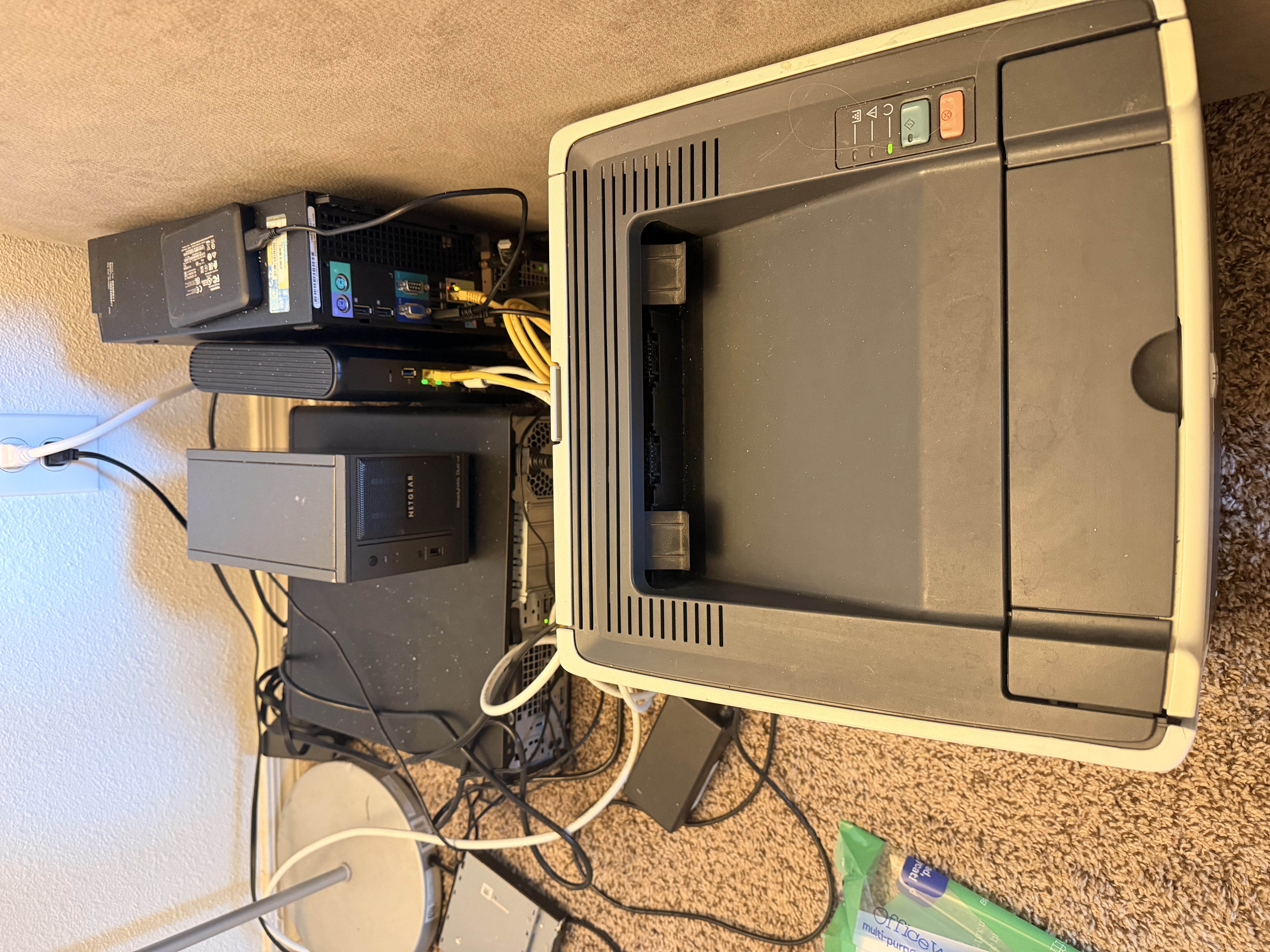
That’s the current state of things. The printer on the right was $5 at a surplus sale. Same principle as the server — something people throw away because it’s “old.” The small black box on the left is the HP EliteDesk. Everything needs cable management. Eventually.
Setting Up Proxmox
I’d wanted to get into virtualization for a while but never had spare hardware to experiment on. Proxmox is what enterprises use — type-1 hypervisor, runs VMs and LXC containers, web UI, the whole thing. Finally having a dedicated machine to throw it on was the push I needed.
First thing up was an Ubuntu LXC. And then… I just started running everything in Docker Compose inside that one LXC. Which is not exactly the “one service per container” ideal I had in mind, but it works and I’m still figuring out the infrastructure. Baby steps.
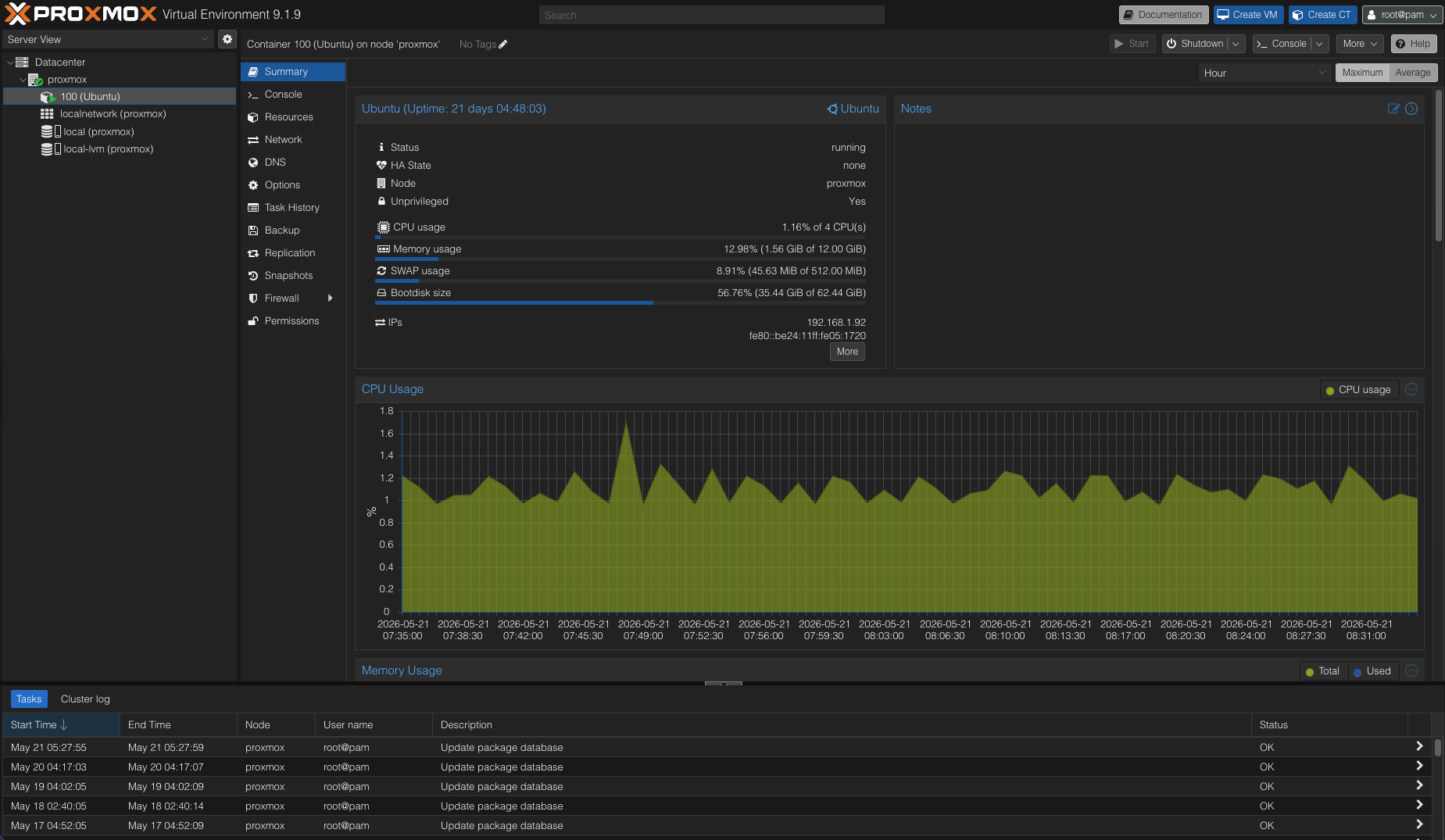
I’m currently migrating all my services over from my old machine — a Dell I also found on the trash, by the way. That one becomes the NAS and backup node. Two trash machines, one homelab.
The Numbers
- Hardware: $0 (found) + $25 (replacement motherboard)
- Energy: under $3/month for the whole setup
- What it runs: this website, private tools, more coming
- RAM upgrade planned: 16GB → 64GB max (4×16GB DDR4) — maybe when I find some in the trash lol
- Storage for the NAS: 2× 500GB HDs at $5 each from a surplus sale
Why This Matters
People throw away hardware because it feels outdated. An HP EliteDesk from a few years back is “obsolete” to most people. To me, it’s a server that runs Proxmox, hosts a dozen containers, and serves real traffic — for less than the cost of a coffee a month in electricity.
An Apollo guidance computer brought humans to the moon with 4KB of RAM. The machine that was sitting in the rain runs circles around that. It’s not old. It’s just not shiny anymore.
The $25 fix and knowing where to look is the difference between trash and infrastructure.
Still setting this up — part 2 when the NAS is sorted and I’ve done something about those cables.